
商品列表接口 Sentinel 与 JMeter快速入门
商品列表接口 Sentinel 与 JMeter快速入门
1. 目标
只针对 product-service 中的商品列表接口完成下面两件事:
任务3:接入 Sentinel,并完成限流、降级规则本地验证
任务4:使用 JMeter 对商品列表接口压测,验证规则有效性,并输出压测报告
2. 测试接口
当前项目中的商品列表接口:
GET /api/product/{pageNum}/{pageSize}
示例:
http://localhost:9001/api/product/1/10?order=1
支持的主要查询参数:
keywordbrandIdcategory1Idcategory2Idcategory3Idorder
其中:
order=1综合排序order=2价格升序order=3价格降序
3. 项目环境
当前项目关键信息:
- 服务名:
product-service - 端口:
9001 - Sentinel Dashboard 版本:
sentinel-dashboard-1.8.1.jar - JMeter 版本:
apache-jmeter-5.4.1.zip
4. Sentinel 接入
4.1 增加依赖
修改 product-service/pom.xml,加入:
<dependency>
    <groupId>com.alibaba.cloud</groupId>
    <artifactId>spring-cloud-starter-alibaba-sentinel</artifactId>
</dependency>

<dependency>
    <groupId>org.springframework.boot</groupId>
    <artifactId>spring-boot-starter-aop</artifactId>
</dependency>

<dependency>
    <groupId>com.alibaba.csp</groupId>
    <artifactId>sentinel-annotation-aspectj</artifactId>
</dependency>
4.2 修改配置
在 product-service/src/main/resources/application.yml 中增加:
spring:
  cloud:
    sentinel:
      transport:
        dashboard: localhost:8080
        port: 8719
      eager: true
关键参数:
dashboard: localhost:8080:Sentinel 控制台地址port: 8719:客户端通信端口eager: true:服务启动时提前初始化 Sentinel
5. 启动 Sentinel Dashboard
启动命令:
java --add-opens java.base/java.lang=ALL-UNNAMED -Dserver.port=8080 -jar sentinel-dashboard-1.8.1.jar
访问地址:
http://localhost:8080
默认账号密码:
sentinel
sentinel
6. 给商品列表接口增加 Sentinel 资源
建议资源名:
product:list
6.1 新建 blockHandler
新建类:
com.zx.product.sentinel.ProductSentinelBlockHandler
代码:
package com.zx.product.sentinel;

import com.alibaba.csp.sentinel.slots.block.BlockException;
import com.github.pagehelper.PageInfo;
import com.zx.domain.dto.h5.ProductSkuDto;
import com.zx.domain.entity.product.ProductSku;
import com.zx.domain.vo.common.Result;

import java.util.ArrayList;

public class ProductSentinelBlockHandler {

    public static Result<PageInfo<ProductSku>> findByPageBlock(Integer pageNum,
                                                               Integer pageSize,
                                                               ProductSkuDto dto,
                                                               BlockException ex) {
        return Result.build(PageInfo.of(new ArrayList<>()), 429, "商品列表访问过于频繁,请稍后再试");
    }
}
6.2 新建 fallback
新建类:
com.zx.product.sentinel.ProductSentinelFallbackHandler
代码:
package com.zx.product.sentinel;

import com.github.pagehelper.PageInfo;
import com.zx.domain.dto.h5.ProductSkuDto;
import com.zx.domain.entity.product.ProductSku;
import com.zx.domain.vo.common.Result;

import java.util.ArrayList;

public class ProductSentinelFallbackHandler {

    public static Result<PageInfo<ProductSku>> findByPageFallback(Integer pageNum,
                                                                  Integer pageSize,
                                                                  ProductSkuDto dto,
                                                                  Throwable throwable) {
        return Result.build(PageInfo.of(new ArrayList<>()), 500, "商品列表接口降级返回");
    }
}
6.3 修改 ProductController
给商品列表接口加 @SentinelResource:
import com.alibaba.csp.sentinel.annotation.SentinelResource;
import com.zx.product.sentinel.ProductSentinelBlockHandler;
import com.zx.product.sentinel.ProductSentinelFallbackHandler;

@Operation(summary = "商品列表接口")
@GetMapping("/{pageNum}/{pageSize}")
@SentinelResource(
        value = "product:list",
        blockHandlerClass = ProductSentinelBlockHandler.class,
        blockHandler = "findByPageBlock",
        fallbackClass = ProductSentinelFallbackHandler.class,
        fallback = "findByPageFallback"
)
public Result<PageInfo<ProductSku>> findByPage(@PathVariable Integer pageNum,
                                               @PathVariable Integer pageSize,
                                               ProductSkuDto dto) {
    PageInfo<ProductSku> pageInfo = productService.findByPage(pageNum, pageSize, dto);
    return Result.build(pageInfo, ResultCodeEnum.SUCCESS);
}
7. 注册资源到 Sentinel
启动 product-service 后,先访问一次接口:
http://localhost:9001/api/product/1/10?order=1
然后到 Sentinel Dashboard 查看是否出现资源:
product:list
8. Sentinel 规则配置
本次只配两类规则:
- 限流规则
- 降级规则
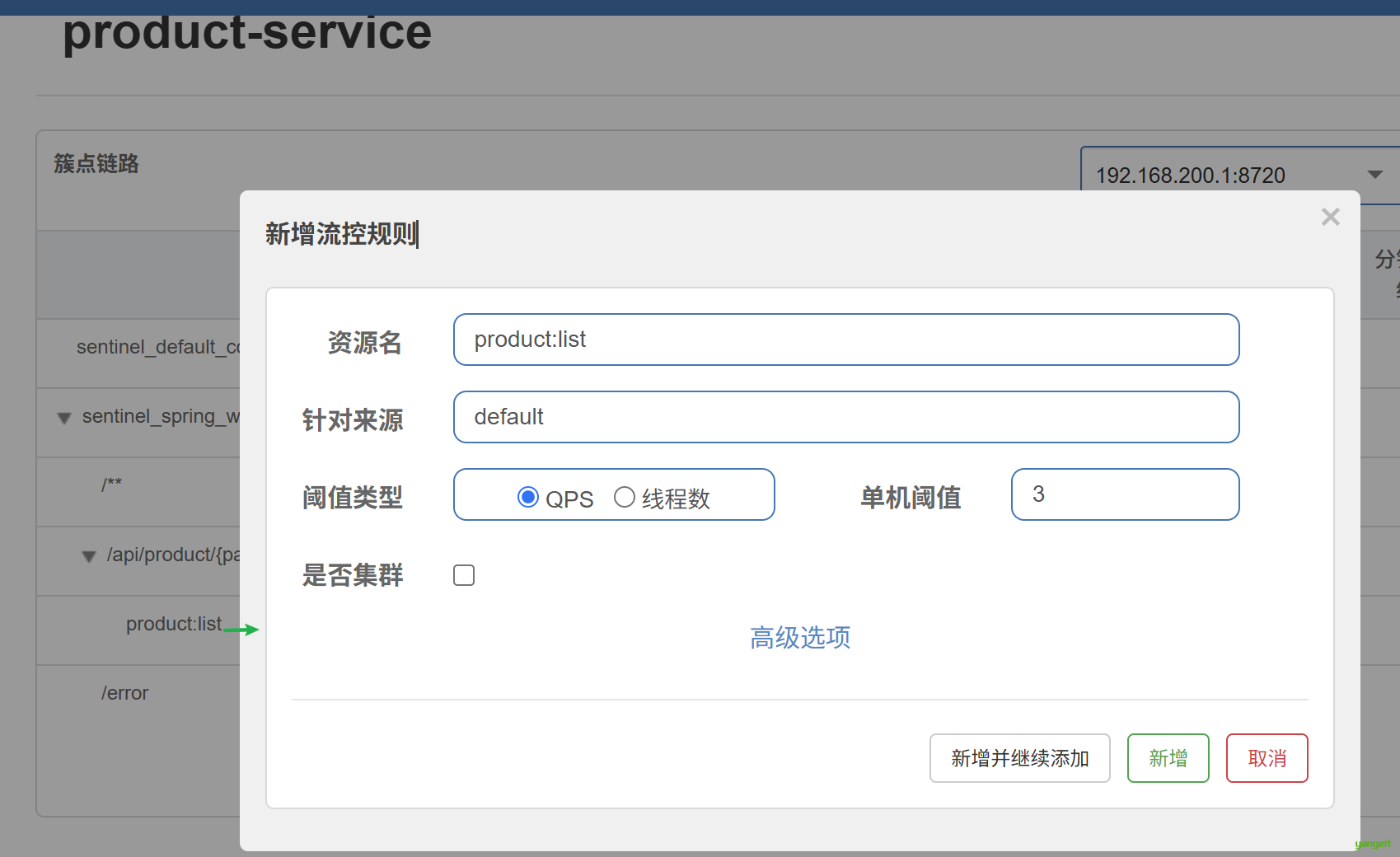
8.1 限流规则
资源名:
product:list
推荐参数:
| 参数项 | 值 |
|---|---|
| 阈值类型 | QPS |
| 单机阈值 | 3 |
| 流控模式 | 直接 |
| 控制效果 | 快速失败 |
含义:
- 每秒最多通过 3 个商品列表请求
- 超过后直接返回
blockHandler中的结果
8.2 降级规则
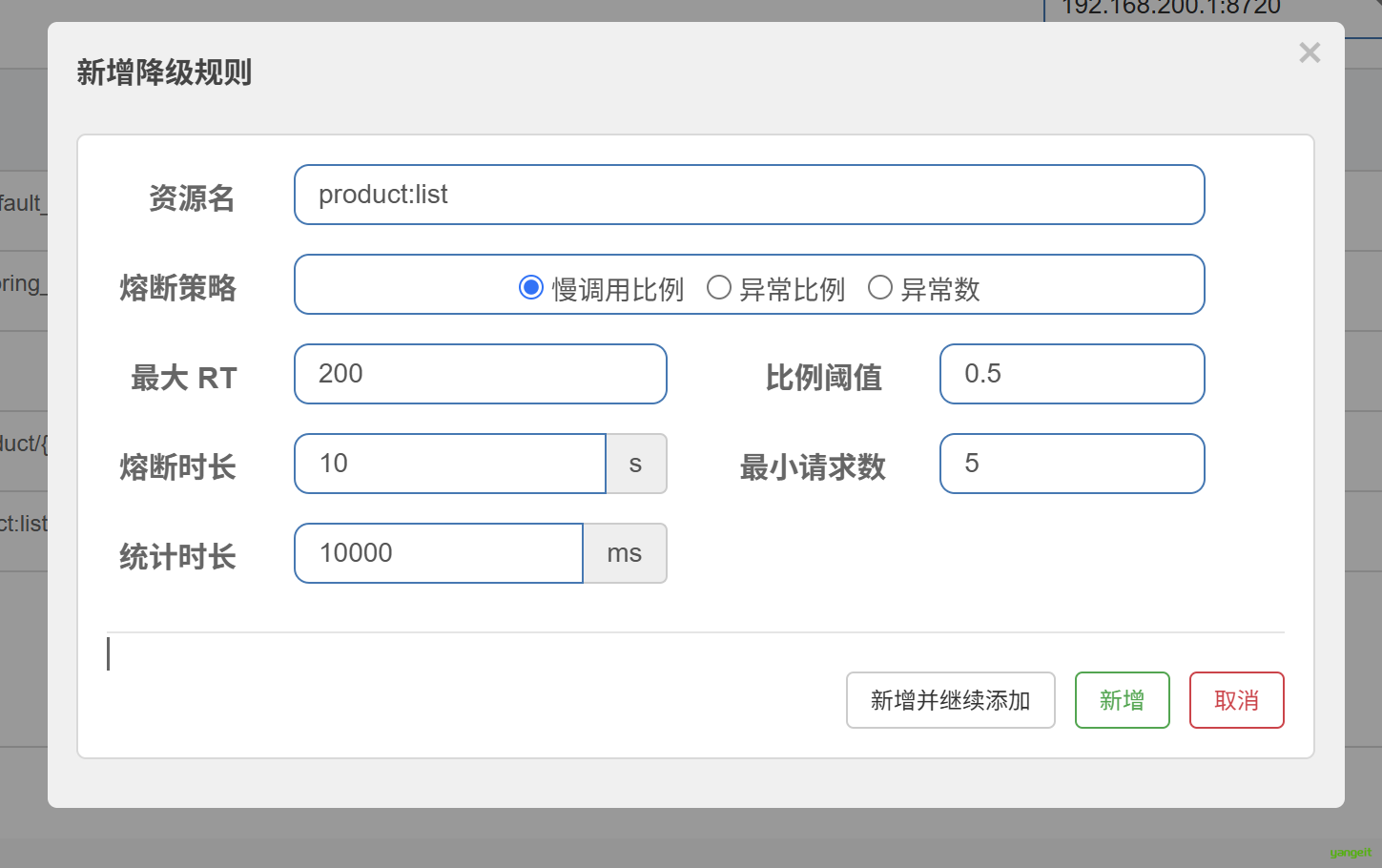
资源名:
product:list
推荐参数:
| 参数项 | 值 |
|---|---|
| 熔断策略 | 慢调用比例 |
| 最大 RT | 200 ms |
| 比例阈值 | 0.5 |
| 最小请求数 | 5 |
| 统计时长 | 10000 ms |
| 熔断时长 | 10 s |
说明:
- 10 秒内请求数至少 5 次
- 且慢调用比例达到 50%
- 则接口熔断 10 秒
如果本地接口太快,不容易触发降级,可以临时在 ProductServiceImpl.findByPage() 中加入:
   //随机睡0-400ms
        try {
            Thread.sleepnew Random().nextInt(400));
        } catch (InterruptedException e) {
            e.printStackTrace();
        }
仅用于本地验证,验证完可删除。
9. Sentinel 本地验证
9.1 验证限流
- 配置
product:list限流规则 - 快速多次访问:
http://localhost:9001/api/product/1/10?order=1
预期结果:
- 部分请求正常
- 部分请求返回业务码
429
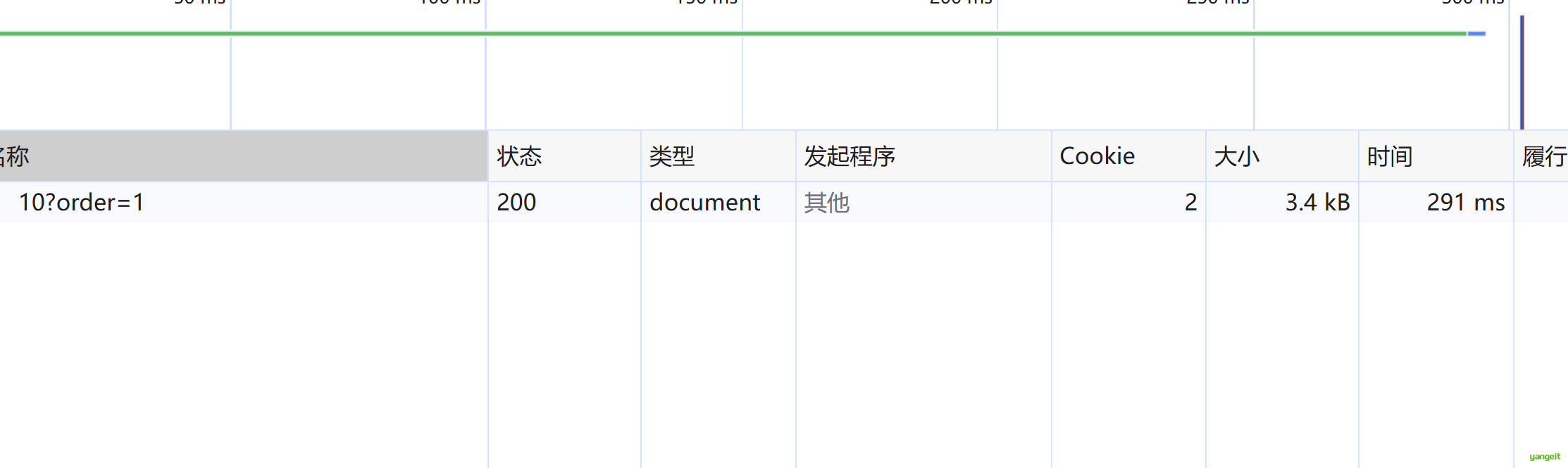
9.2 验证降级
- 临时增加
Thread.sleep(300) - 配置
product:list的降级规则 - 使用 JMeter 连续压测
预期结果:
- 前几次请求正常
- 达到慢调用比例阈值后,请求会被快速拒绝
10. JMeter 压测
10.1 启动 JMeter
解压 apache-jmeter-5.4.1.zip,进入 bin 目录,运行:
jmeter.bat
10.2 制作 .jmx
建议保存文件名:
product-list-test.jmx
10.3 用户定义变量
在测试计划中增加“用户定义的变量”:
| 变量名 | 值 |
|---|---|
protocol | http |
host | localhost |
port | 9001 |
pageNum | 1 |
pageSize | 10 |
10.4 HTTP 请求默认值
增加“HTTP请求默认值”:
| 字段 | 值 |
|---|---|
| 协议 | ${protocol} |
| 服务器名称或IP | ${host} |
| 端口号 | ${port} |
10.5 线程组
新增一个线程组,命名:
商品列表接口压测
推荐参数:
| 参数项 | 值 |
|---|---|
| 线程数 | 50 |
| Ramp-Up时间 | 10 |
| 循环次数 | 20 |
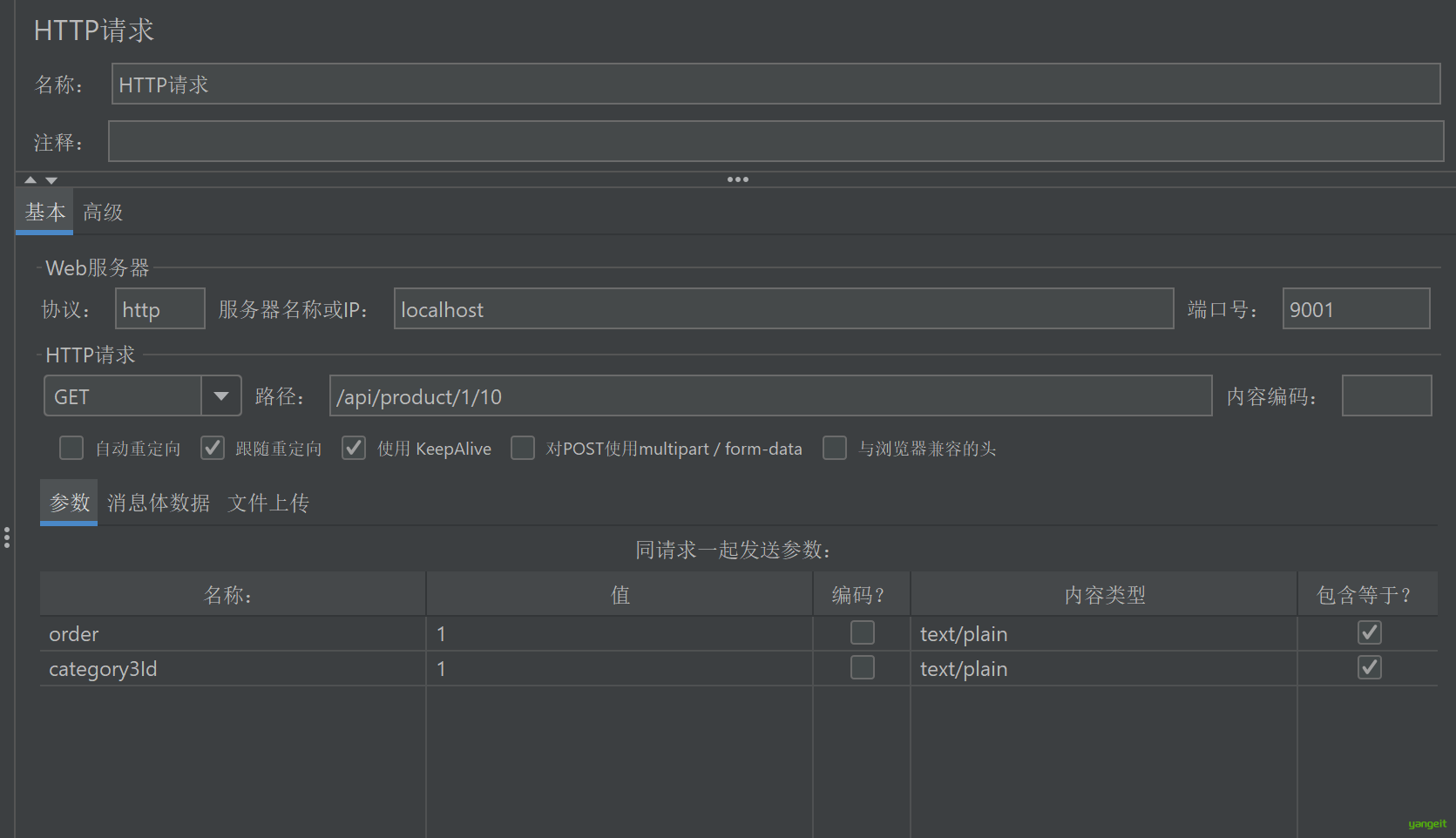
10.6 HTTP 请求
在线程组下新增 HTTP 请求:
| 字段 | 值 |
|---|---|
| 方法 | GET |
| 路径 | /api/product/${pageNum}/${pageSize} |
参数区填写:
| Name | Value |
|---|---|
order | 1 |
如果你想固定某个分类,也可以增加:
| Name | Value |
|---|---|
category3Id | 1 |
10.7 监听器
建议添加:
- 察看结果树
- 聚合报告
- 汇总报告
正式压测时建议关闭“察看结果树”,避免占用太多内存。
11. 压测步骤
11.1 连通性测试
先把线程组改成:
| 参数项 | 值 |
|---|---|
| 线程数 | 1 |
| Ramp-Up时间 | 1 |
| 循环次数 | 1 |
确认:
- 接口能返回
200 - 响应体业务码为
200
11.2 基线压测
恢复线程组参数:
| 参数项 | 值 |
|---|---|
| 线程数 | 50 |
| Ramp-Up时间 | 10 |
| 循环次数 | 20 |
记录这些指标:
Average 平均响应时间 单位:ms(毫秒) 定义:所有请求响应耗时的算术平均值,代表接口整体平均快慢。 缺陷:容易被极端慢请求掩盖真实体验,不能单独作为性能依据。
90% Line 90分位响应时间 单位:ms(毫秒) 定义:全部请求耗时从小到大排序后,90% 的请求耗时都小于等于该值,仅10%请求更慢。 代表绝大多数用户真实访问体验,是压测核心参考指标。
Throughput 吞吐量 单位:req/sec(QPS,每秒请求数);文件/上传场景为 KB/sec 定义:单位时间内服务器成功处理的请求总量,代表服务扛并发、扛流量的能力。 压力到达瓶颈后,吞吐量会不升反降。
Error % 错误率 单位:百分比 % 定义:失败请求数量占全部请求的比例,失败包含超时、连接失败、接口异常、断言不通过等。 直接衡量服务稳定性,标准压测要求错误率尽量为0。
11.3 Sentinel 验证压测
先打开 product:list 的限流规则和降级规则,再运行相同压测。
观察:
- 错误率是否上升
- 是否出现业务码
429 - 是否出现降级返回
12. 性能优化建议
商品列表接口当前逻辑是:
- 先查
Product - 收集商品 id
- 再查
ProductSku
因此可以从这几个方向优化:
12.1 限制分页大小
建议限制:
pageSize <= 40 或 50
12.2 对热点列表条件做缓存
例如下面这种常见请求:
/api/product/1/10?order=1
可以增加 Redis 缓存。
推荐 key:
product:list:{pageNum}:{pageSize}:{order}:{category1Id}:{category2Id}:{category3Id}:{brandId}:{keyword}
12.3 增加数据库索引
建议检查:
product.category1_idproduct.category2_idproduct.category3_idproduct.brand_idproduct.statusproduct.audit_statusproduct.is_deletedproduct_sku.product_id
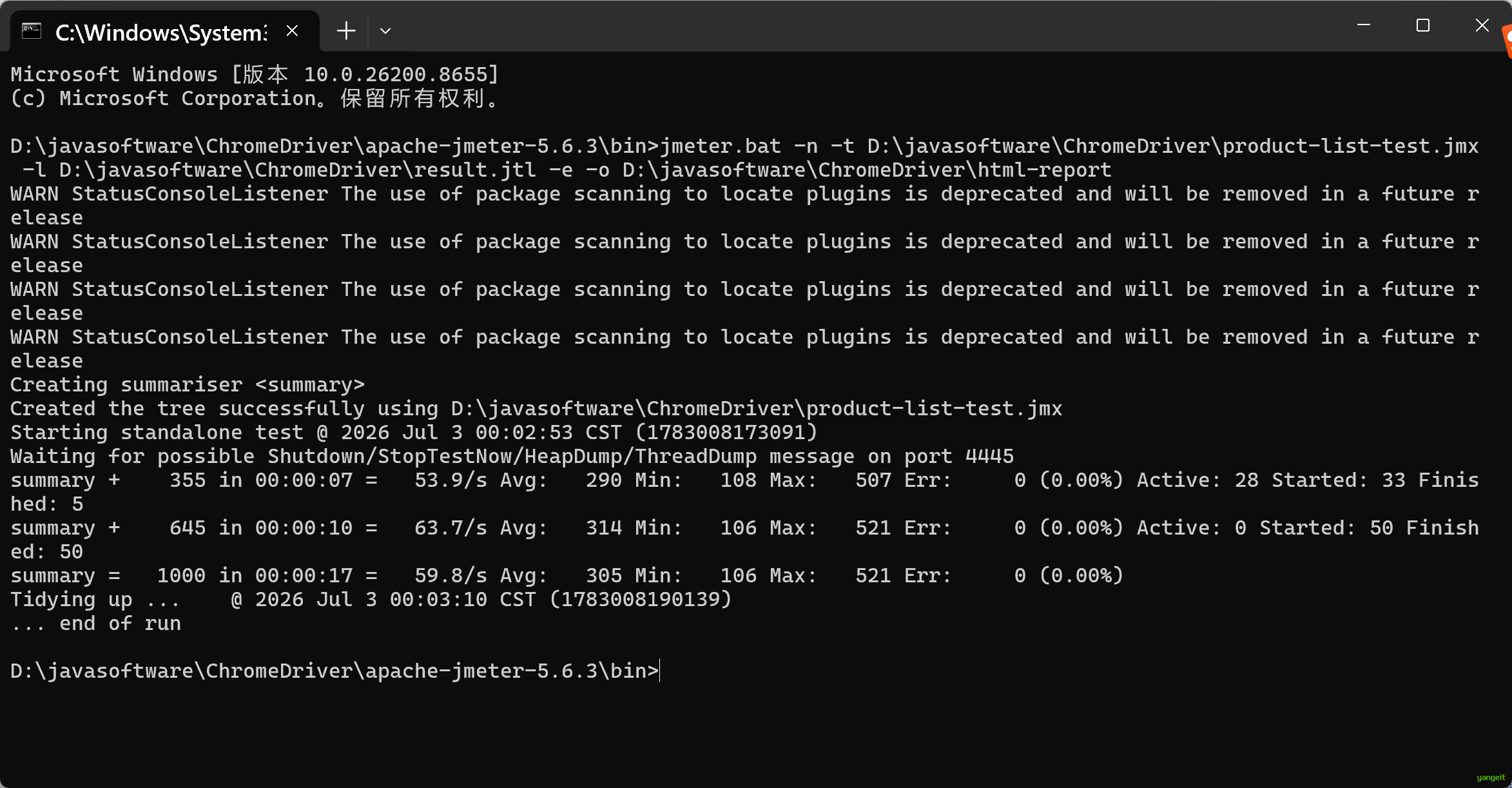
13. 导出 JMeter 报告
命令:
jmeter.bat -n -t D:\javasoftware\ChromeDriver\product-list-test.jmx -l D:\javasoftware\ChromeDriver\result.jtl -e -o D:\javasoftware\ChromeDriver\html-report
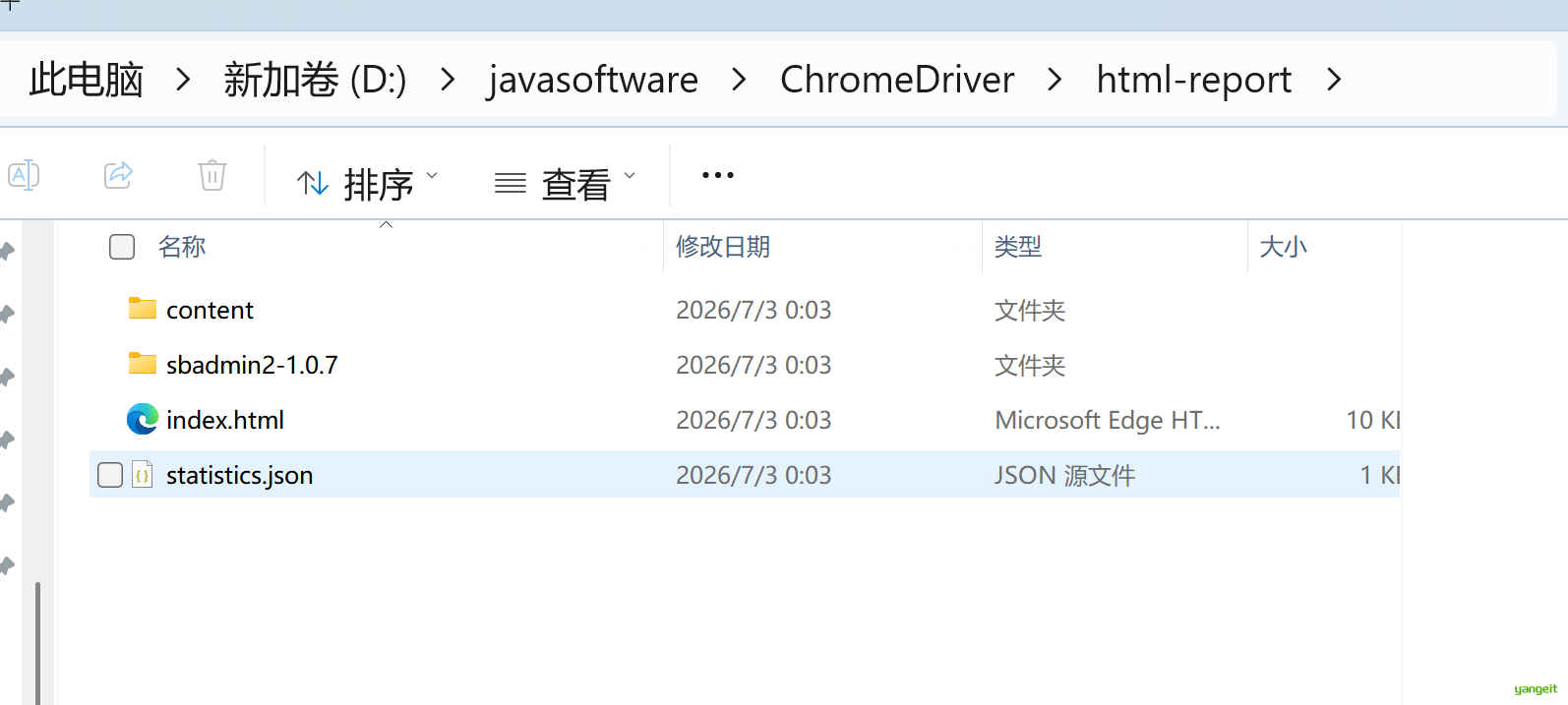
生成后打开:
D:\report\html-report\index.html
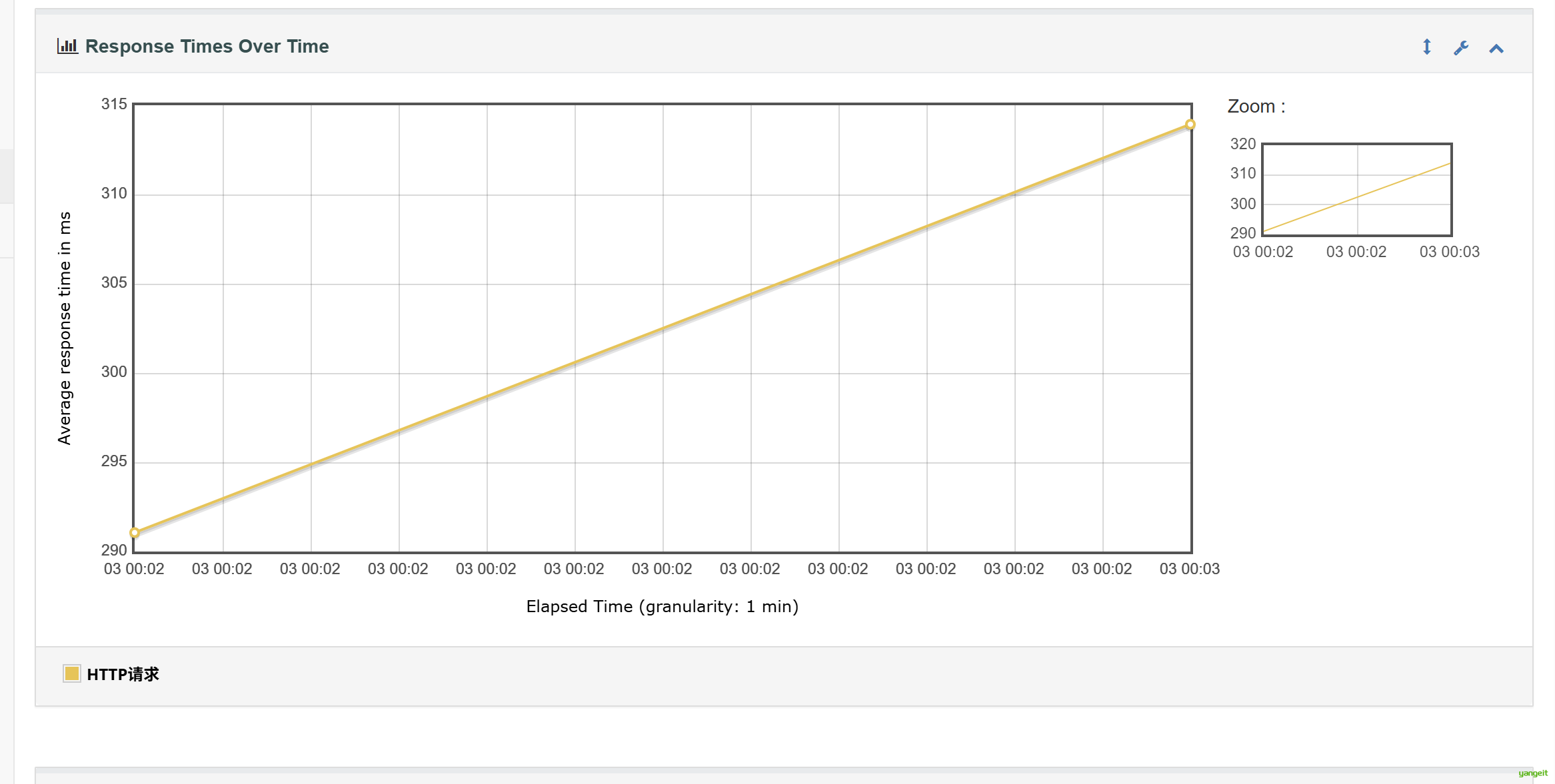
重点截图:
- Average Response Time
- Throughput
- Error %
14. 报告模板
14.1 接口信息
| 项目 | 内容 |
|---|---|
| 接口名称 | 商品列表接口 |
| 请求方式 | GET |
| 请求路径 | /api/product/{pageNum}/{pageSize} |
| 服务端口 | 9001 |
14.2 Sentinel 规则
| 资源名 | 规则类型 | 参数 |
|---|---|---|
product:list | 限流 | QPS=3 |
product:list | 降级 | 慢调用比例,RT=200ms,比例=0.5,熔断10s |
14.3 压测结果
| 阶段 | Average | 90% Line | Throughput | Error % |
|---|---|---|---|---|
| 基线压测 | ||||
| 开启 Sentinel 后 | ||||
| 优化后压测 |
14.4 实验结论
可以直接围绕这几句写:
- 商品列表接口已经完成 Sentinel 接入
- 通过限流规则可以保护商品列表接口不被高并发流量冲垮
- 通过降级规则可以在慢调用比例过高时自动熔断
- 使用 JMeter 可以验证接口性能变化和 Sentinel 规则生效情况
- 对分页大小、热点条件缓存、数据库索引进行优化后,接口性能会进一步提升